Bad Photo?
Perfect PDF.
That quick photo?
Make it ready for work.
Clear the shadows. Straighten the page.
Turn everyday paper into a PDF worth sending.
Messy paper.
Meet your fix.
Go on. Tap the button.
Watch the shadows disappear.
- 01Clear the shadowsBring the page back into focus.✓
- 02Straighten & cleanA neat page, from edge to edge.✓
- 03Your PDF is readySave it. Sign it. Send it.✓
Try a sample. No upload needed.
Interactive illustration using preset samples. The app performs the scan; this page does not process or upload your photos.
No Scanner.
No Laptop.
No Problem.
Paper in your hand.
A signed PDF in their chat.
Capture the page. Automatically clear away the shadows.
Your pocket office starts here ↗Fit your document inside the frame
Point. Capture. PDF.
Add your signature to the PDF
Scan. Sign. Compress. Share.
Illustrated app & chat screens
Big document energy.
Small pocket office.
From a quick photo to a file you’re proud to send.
Get ScanMate AI and make paper work for you.
Four steps. Then you’re ready.
Illustrated Android screens. Prompts may vary by device and download source.
-
01DOWNLOAD
Download the app
Tap the download button below. On the app download page, choose Download to get the installation file.
Tap Download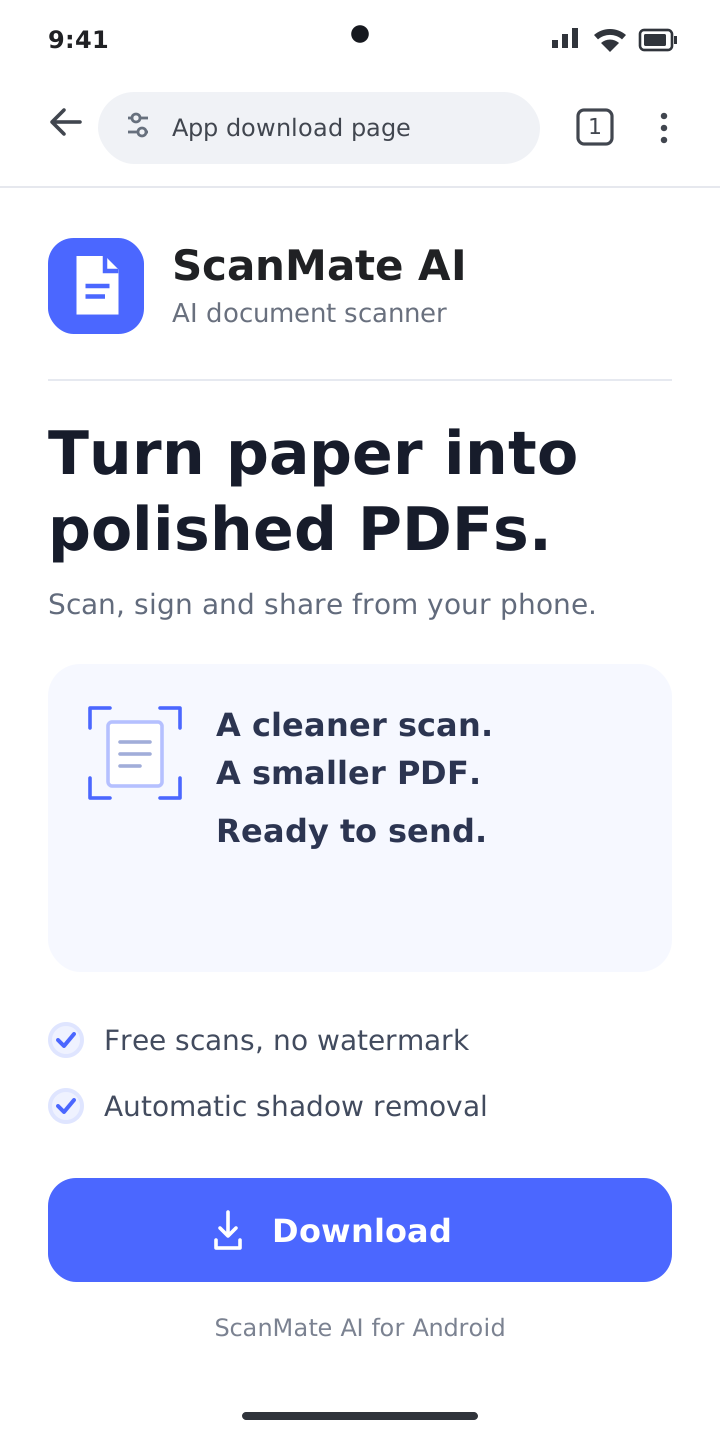
ANDROID BROWSER -
02INSTALL
Tap Install
Open the downloaded file. Review the app name, then tap Install in the Android installation prompt.
Choose Install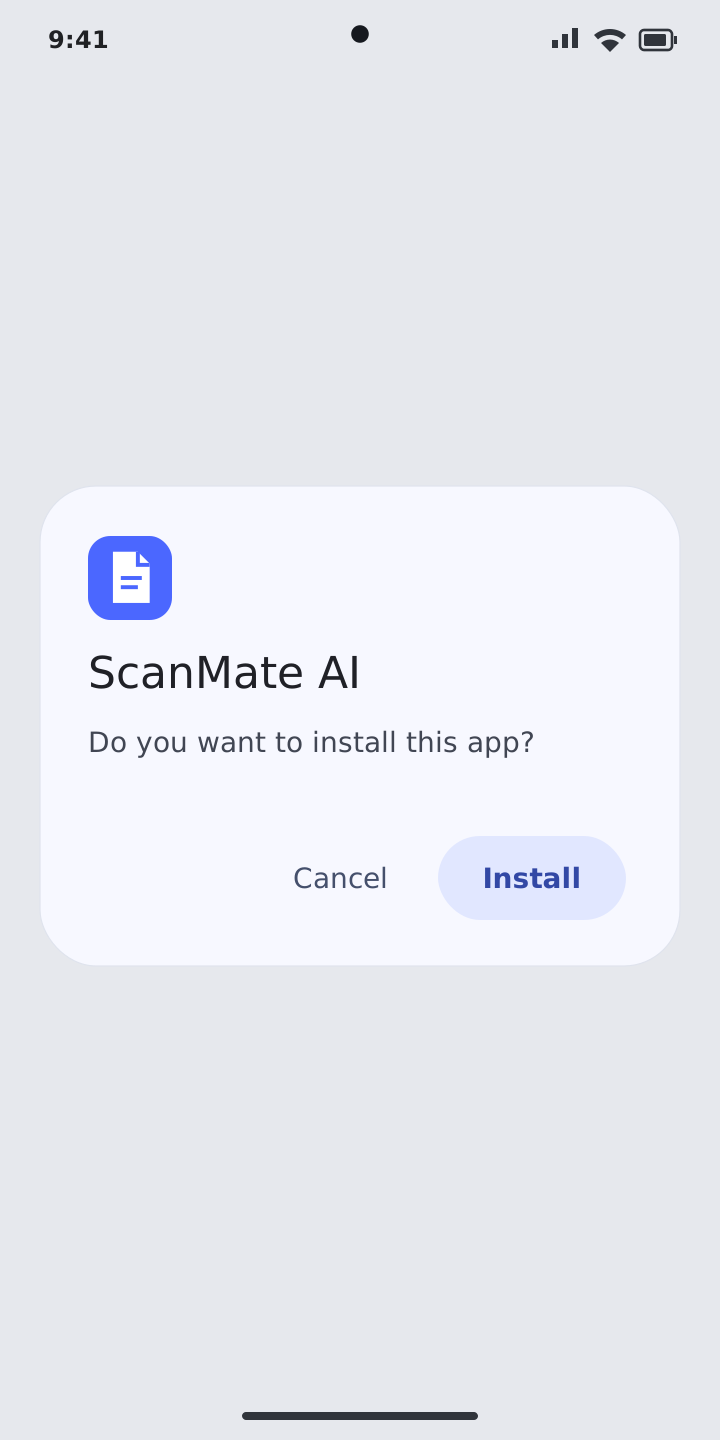
ANDROID INSTALLER -
03OPEN
Open ScanMate AI
Wait for the installation to finish. When you see App installed, tap Open to launch ScanMate AI.
Tap Open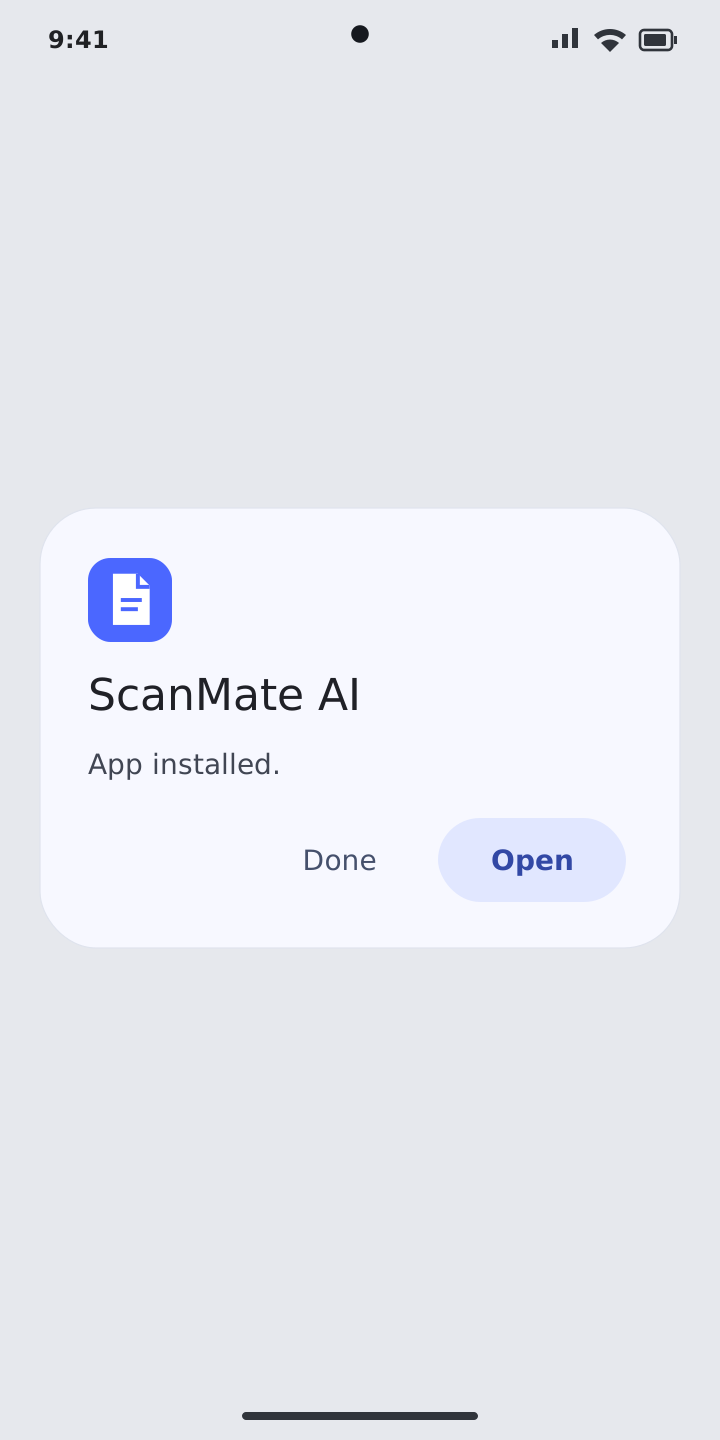
INSTALLATION COMPLETE -
04FIRST SCAN
Make your first PDF
Tap Scan, point your camera at a document and capture the page. Your pocket PDF office is ready.
Start with Scan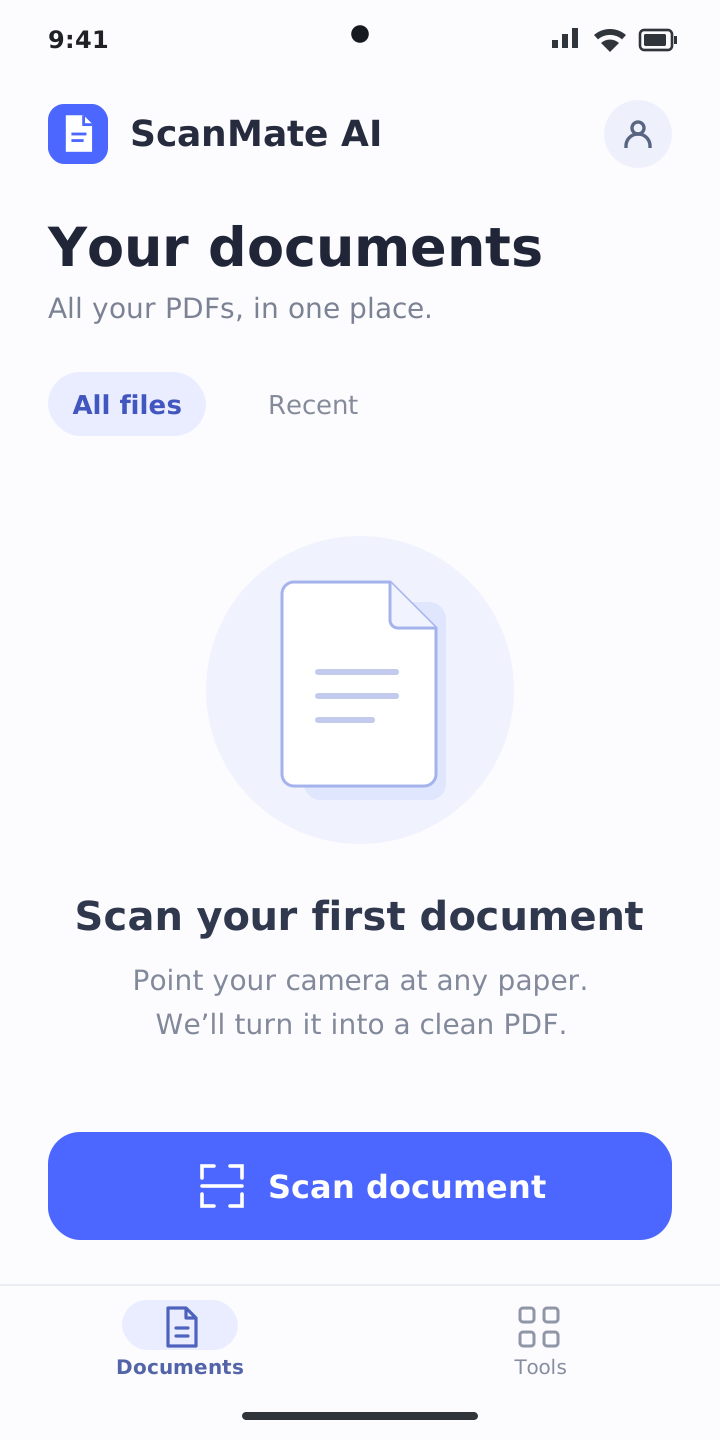
YOUR FIRST DOCUMENT